top of page
digital logo (1).png
Free AI Lunch & Learn
FREE AI TRAINING

Learn How To Use AI In Your Business — Free, Every Week.

Join our live weekly AI Lunch & Learn — 60 minutes of practical, beginner-friendly AI training built specifically for business owners, operators, and teams.

Reserve Your Free Seat →

Live every Wednesday at 12 PM EST

Real business use cases

Join The Lunch & Learn

No tech skills required

500+ owners trained

6a04d634148cd4c11c98bb2f_1778702015925_f9741654 (1).jpg

Your old website wasn't built for the AI era.

Most AI training is either too academic or too sales-y. Ours is different: every session walks you through a real AI tool, a real business problem, and a real outcome you can replicate Monday morning. We also offer private corporate training for teams and organizations.

WHAT'S INCLUDED

Everything you need — nothing you don’t.

Weekly Lunch & Learn

Live 60-minute sessions covering one practical AI workflow per week.

Live Tool Demos

Watch us implement AI tools in real time — no pre-recorded slideshows.

Beginner-Friendly

Designed for non-technical owners, operators, and team leads.

Corporate Training

Private workshops customized to your team’s industry and tools.

Replay Library

Members get access to every past session in our growing video library.

Live Q&A

Every session includes open Q&A — bring your real business challenges.

PRICING

Free public training.
Premium options for teams.

Start with the free Lunch & Learn. Scale to private team workshops when you're ready.

Lunch & Learn

Our weekly public AI training session.

Free

Live every Wednesday
60-minute interactive session
Live Q&A with our team
Weekly AI tips by email

Reserve Free Seat

Pro Membership

Full library access + advanced workshops.

$49

/month

Everything in Lunch & Learn
Full replay library access
Monthly deep-dive workshops
Private member community
Prompt library access

Start Pro Membership

Corporate Training

Private team training & workshops.

Custom

Custom curriculum for your team
On-site or remote delivery
Industry-specific use cases
Hands-on labs
Post-training implementation support

Request A Quote

CLIENT RESULTS

Real outcomes from this service.

14 hrs

saved per week per employee

PROFESSIONAL SERVICES

Cedar & Co. Accounting Group

Trained 22-person team on AI workflows. Cut routine work in half across the firm.

100%

staff AI adoption rate

NONPROFIT

Brightpath

A 4-session private workshop took their team from AI-skeptical to AI-active.

38%

more listings handled per agent

REAL ESTATE

Atlas Property Group

Custom AI training rolled out to 60 agents in two regional offices.

Your On-Demand AI Learning Hub

Expand your AI knowledge with a growing library of free educational videos designed for entrepreneurs, business leaders, nonprofits, and professionals. From the latest AI tools to real implementation strategies, our YouTube channel helps you turn AI into measurable business results.

Build Your AI Competitive Intelligence Dashboard - Wednesday, August 26, 2026 | 12:00 PM Eastern
46:43

Build Your AI Competitive Intelligence Dashboard - Wednesday, August 26, 2026 | 12:00 PM Eastern

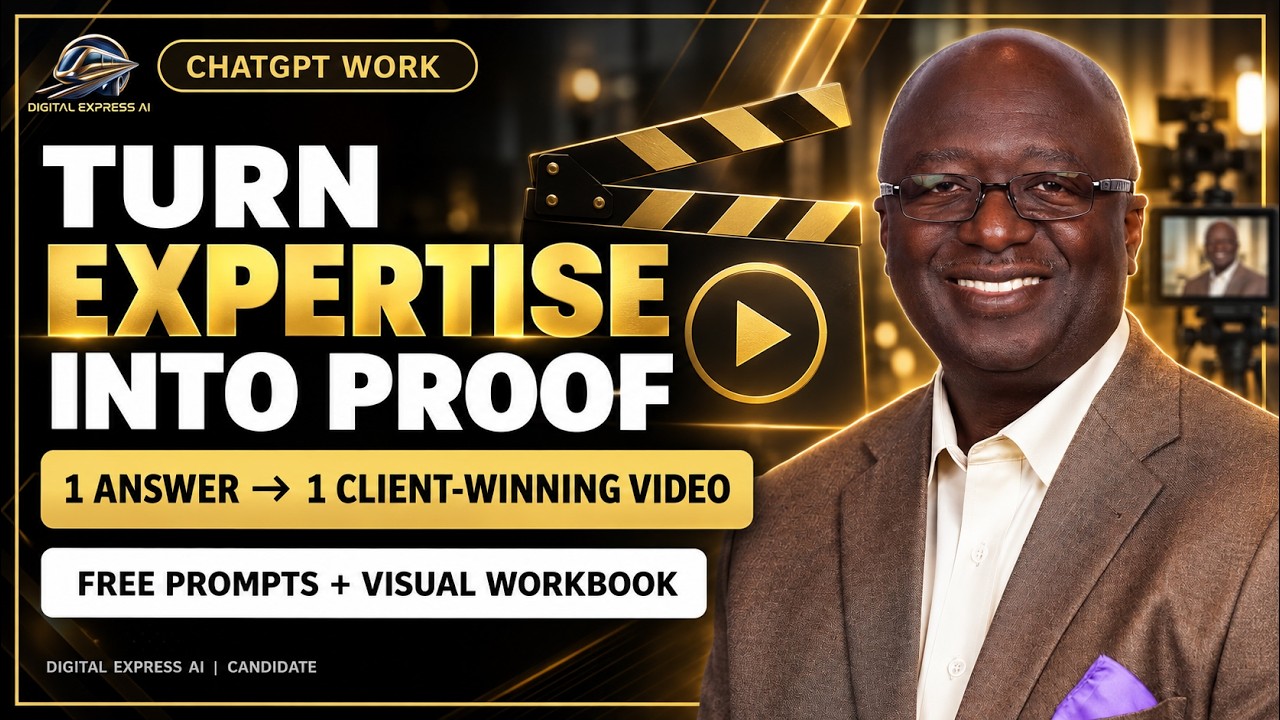
Discover how to use ChatGPT Work to build an AI Competitive Intelligence Dashboard for small and medium business owners. See how to organize current evidence about competitors, customer demand, market opportunities, pricing models, new services, local-market conditions, technology choices, industry threats, and regulatory developments—then turn those signals into a recommended offer and three owner decisions. You will learn to: • compare direct, indirect, and substitute competitors • identify emerging customer needs without inventing purchase intent • compare pricing models and public price evidence • evaluate local conditions, vendors, technology, threats, and regulations • create three offer opportunities and choose a safe first test • build a mobile executive dashboard with evidence, confidence, and unknowns Dashboard and workbook: https://ai-competitive-intelligence-dashboard.digitalexpressai.chatgpt.site Register: https://us06web.zoom.us/meeting/register/DaiKNzFFSDuZOJ0DcTyfLg#/registration DigitalExpress.ai Subscribe: https://www.youtube.com/@DigitalExpressAI?sub_confirmation=1 #ChatGPTWork #CompetitiveAnalysis #MarketResearch #SmallBusinessAI #BusinessStrategy #AIDashboard #Entrepreneurship 00:00 Welcome and Goal 01:53 Setting Up Dashboard 03:03 Why Market Research 04:12 Key Questions Framework 05:40 Competition and Offers 06:37 Case Study Tender Living 09:36 Prompting and Research Rules 10:13 Running Prompt One Demo 14:13 Interpreting Report Outputs 16:12 Pricing and Recurring Models 18:30 Prompt Two Offer Ideas 21:21 Offer Scorecard and Dashboard 23:37 Prompting Dashboard Build 24:05 Work Tab Limits 27:04 Dashboard Reveal Walkthrough 30:08 Decision System Focus 31:16 Testimonials Trust Proof 34:12 Personal Dashboard Pricing 38:53 Governance Quarterly Review 40:16 Customer Market Threats 42:41 Marketing Reset Funnel 45:03 Homework Wrap Up
ChatGPT 5 6 Work  Build a CRM + Finance Dashboard with Wix & Wave   Download My Prompts - 8-19-26
48:40

ChatGPT 5 6 Work Build a CRM + Finance Dashboard with Wix & Wave Download My Prompts - 8-19-26

ChatGPT 5.6 Work: Build a CRM + Finance Dashboard with Wix & Wave | Download My Prompts Discover how to use ChatGPT Work, powered by GPT-5.6, to build a CRM and finance dashboard for your small or medium-sized business using Wix Headless and Wave. In this hands-on AI Lunch & Learn, Danny Ross demonstrates how to connect CRM follow-up, customer identity, basic accounting, and invoicing into one practical DRIVE Finance + CRM command center. The best part? I’ve included the complete Magic Demo Prompts and enhanced visual workbook that guide you through the entire build. Download the workbook, copy the prompts into ChatGPT Work, and adapt the system without giving AI uncontrolled access to customer or financial records. Download My Prompts and Workbook: https://docs.google.com/document/d/1FAdcVYScVfoRtWbInh3FGKekhPYC2pLW7XAONiC3Fbc/edit You’ll learn how to: • Use Wix Headless for contacts, stages, owners, and follow-up • Use Wave as the accounting and invoicing system of record • Match Wix contacts to Wave customers without merging by name alone • Build a mobile CRM and finance dashboard • Separate verified facts, inferences, recommendations, and unknowns • Prepare a draft invoice with customer, product, price, tax, currency, and due-date validation • Use separate approvals for invoice creation and sending • Design low-risk alerts, reconciliation, and draft preparation • Test with fictional data before using live information The DRIVE Framework: DEPLOY: Priorities, approvals, tasks, and decisions REACH: Leads, contacts, proposals, and follow-up IMPLEMENT: Customer setup, deliverables, and invoice preparation VALIDATE: Invoice status, receivables, identity conflicts, risks, and evidence EXPAND: Retention, referrals, offers, and the next best action Designed for small-business owners, consultants, entrepreneurs, agencies, bookkeepers, and teams that want practical CRM and invoicing visibility without replacing accounting or building complicated software. Important: This lesson uses fictional demonstration data. Keep credentials private, verify financial information in Wave, and require human approval before changing CRM records, creating or sending invoices, recording payments, or making customer commitments. Register for the free weekly AI Lunch & Learn: https://us06web.zoom.us/meeting/register/DaiKNzFFSDuZOJ0DcTyfLg#/registration Learn more about Digital Express AI: https://digitalexpress.ai Subscribe for practical training on ChatGPT Work, GPT-5.6, AI automation, CRM, invoicing, lead generation, sales, and small-business growth. Subscribe to Digital Express AI: https://www.youtube.com/@DigitalExpressAI?sub_confirmation=1 #ChatGPTWork #GPT56 #WixHeadless #WaveAccounting #SmallBusinessAI #CRMDashboard #BusinessAutomation #DigitalExpressAI 00:00 Welcome and Goals 02:43 Why Integrations Matter 03:26 Source of Truth Setup 07:03 AI Oversight Rules 07:54 Lead to Cash Workflow 10:01 Prompts and Workbook 11:27 Running the First Prompt 19:34 Browser Automation Demo 26:51 Workflow and Testing Plan 30:41 Email Batch Lessons 37:57 Failure Modes and Two Gate 41:49 Dashboard Walkthrough 47:34 Wrap Up and Homework
ChatGPT 5.6 Work for Small Business: Build an AI Operations Dashboard | Download My Prompt 8-12-26
46:10

ChatGPT 5.6 Work for Small Business: Build an AI Operations Dashboard | Download My Prompt 8-12-26

ChatGPT 5.6 Work for Small Business: Build an AI Operations Dashboard | Download My Prompt 8-12-26 Discover how to use ChatGPT Work, powered by GPT-5.6, to build a private AI Operations Dashboard for your small or medium-sized business. In this hands-on AI Lunch & Learn, Danny Ross demonstrates how to create a mobile-friendly business command center using ChatGPT Sites, skills, plugins, connected apps, and the Digital Express AI DRIVE 360 framework. The best part? I’ve included the complete, multi-page prompt and expanded student workbook that guides you through the entire build. Download it, copy the prompts into ChatGPT Work, connect your approved business information, and let AI help you create your DRIVE Operations Dashboard. Download My Prompt and Expanded Workbook: https://docs.google.com/document/d/1DHFSzwM2FmjYu-DtZYiTniTSIFqLqLDQhjdm7GA42h4/edit You’ll learn how to connect and review your Business Brief, Gmail, Google Calendar, and Google Drive so ChatGPT Work can help you organize: • Today’s priorities, meetings, and decisions • Important emails, requests, and follow-up • Active projects, deliverables, files, and dependencies • Tasks, owners, deadlines, and approval requirements • Meetings that require preparation • Work that is overdue, blocked, or waiting on someone • Missing evidence and operational risks • Repeated work that should become an SOP • Tasks that can be delegated more clearly • Safe opportunities for AI-assisted automation • Your one next best operational action The dashboard is organized using the DRIVE Operations Framework: DEPLOY: Today’s priorities, meetings, deadlines, assignments, approvals, and decisions REACH: Customer, vendor, partner, and team messages, requests, handoffs, and commitments IMPLEMENT: Active projects, deliverables, owners, files, dependencies, and next steps VALIDATE: Overdue work, blocked items, conflicting dates, missing evidence, quality risks, and unresolved decisions EXPAND: SOPs, delegation, safe automation, reusable templates, capacity improvements, and growth-enabling systems You’ll also see how ChatGPT Sites can turn a detailed prompt into a private, interactive business tool and how recurring workflows can help keep the dashboard updated. The lesson shows how to separate verified facts, inferences, recommendations, and unknowns so the dashboard does not confidently invent business information. This tutorial is designed for small-business owners, consultants, entrepreneurs, agencies, real-estate professionals, sales and marketing leaders, and growing teams that want to use AI agents without building complicated software. Register for the free weekly AI Lunch & Learn: https://us06web.zoom.us/meeting/register/DaiKNzFFSDuZOJ0DcTyfLg#/registration Learn more about Digital Express AI: https://digitalexpress.ai Subscribe for practical training on ChatGPT Work, GPT-5.6, AI automation, business operations, lead generation, marketing, sales, and small-business growth: https://www.youtube.com/@DigitalExpressAI #ChatGPTWork #GPT56 #AIOperationsDashboard #SmallBusinessAI #ChatGPTTutorial #BusinessAutomation #AIAgents #DigitalExpressAI 00:00 Welcome and Agenda 01:50 Why Dashboards Matter 02:26 Operations Pain Points 04:10 How AI Helps Ops 06:49 Evidence Map Basics 10:12 Verified Facts vs Inference 11:09 DRIVE Framework for Ops 12:14 Dashboard Examples and Questions 16:01 Running the Workbook Prompts 19:29 Links and Client Shoutout 20:57 SOPs Templates and AI Limits 23:54 Testing the Build 24:14 Prompting for Clarity 25:19 Operations Dashboard Tour 27:43 Running Bottleneck Finder 31:15 Why SOPs Matter 32:56 Parallel Agent Workflows 37:23 Automation Advisor Setup 42:26 Morning Brief Dashboard 43:39 Share Links and Wrap Up
Build an AI Lead Generator with ChatGPT Work, Download My Prompt - GPT-5.6 & Sites - 8-5-26
46:23

Build an AI Lead Generator with ChatGPT Work, Download My Prompt - GPT-5.6 & Sites - 8-5-26

Stop Losing Sales in Your Inbox Build an AI Sales Dashboard (Drive AI 360 Lunch & Learn): Follow-Up, Meeting Prep, Pipeline Risk & Privacy Danny Ross hosts this week’s AI Lunch and Learn focused on building the sales dashboard as part of the Drive AI 360 business dashboard series, following prior lessons on the main dashboard, AI agents, and the marketing dashboard. He emphasizes starting with a business brief (and interview prompt) to train the AI on real context, then connecting evidence sources like inbox, calendar, drive, and CRM with a connection audit and clear accuracy rules to avoid hallucinations and require human approval. The episode walks through prompts and examples for inbox follow-up, meeting intelligence, pipeline risk analysis, and prioritizing actions to surface what needs attention today. Danny shows a mock dashboard and his real dashboard workflow, discusses automation timing, sharing workbooks/decks, and highlights privacy and security considerations when granting AI access to data. 00:00 Welcome and Series Overview 02:26 Tools and Housekeeping 05:29 Workbook and Business Brief 07:00 Sales Dashboard Priorities 10:47 Evidence Map Connections 15:09 Inbox Follow Up Prompt 17:06 Meeting Intelligence Prep 18:10 Dashboard Examples Walkthrough 22:13 Pipeline Risk and DRIVE 26:06 Build the Full Dashboard 28:18 Show Your Work and Automation 31:39 Expansion Revenue Strategy 36:57 Privacy and Security Q&A 43:06 24 Hour Challenge and Wrap Up

Reserve your seat for this week's session.

Drop your details and we'll send the Zoom link and a calendar invite to your inbox right away.

Free · No-pressure conversation

Request more info

FAQ

Common Questions

digital logo (1).png
Digital Express AI Logo.png

AI Implementation Partner

We help businesses learn, implement, and scale AI
— through free training, custom apps, AEO-optimized
websites, and hybrid human + AI assistants.

Company

Contact

hello@digitalexpress.ai
Remote · Serving the United States

© 2026 Digital Express AI. All rights reserved.

Privacy         Terms          Cookies

THIS WEDNESDAY
Free AI Lunch & Learn
Reserve
bottom of page